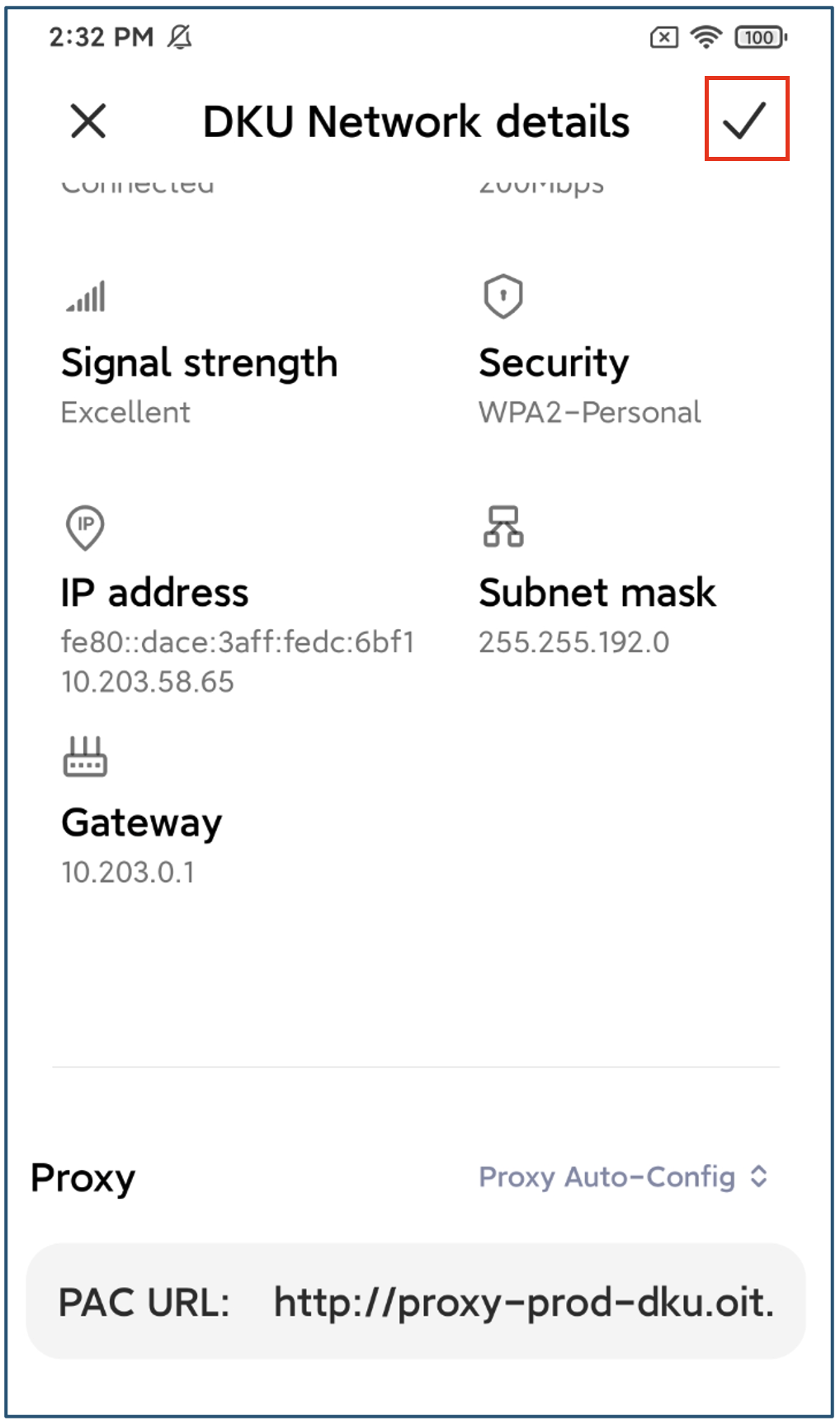
Part 1. How to set up proxy settings on Windows PC
1.Search “Proxy settings” in the search bar.
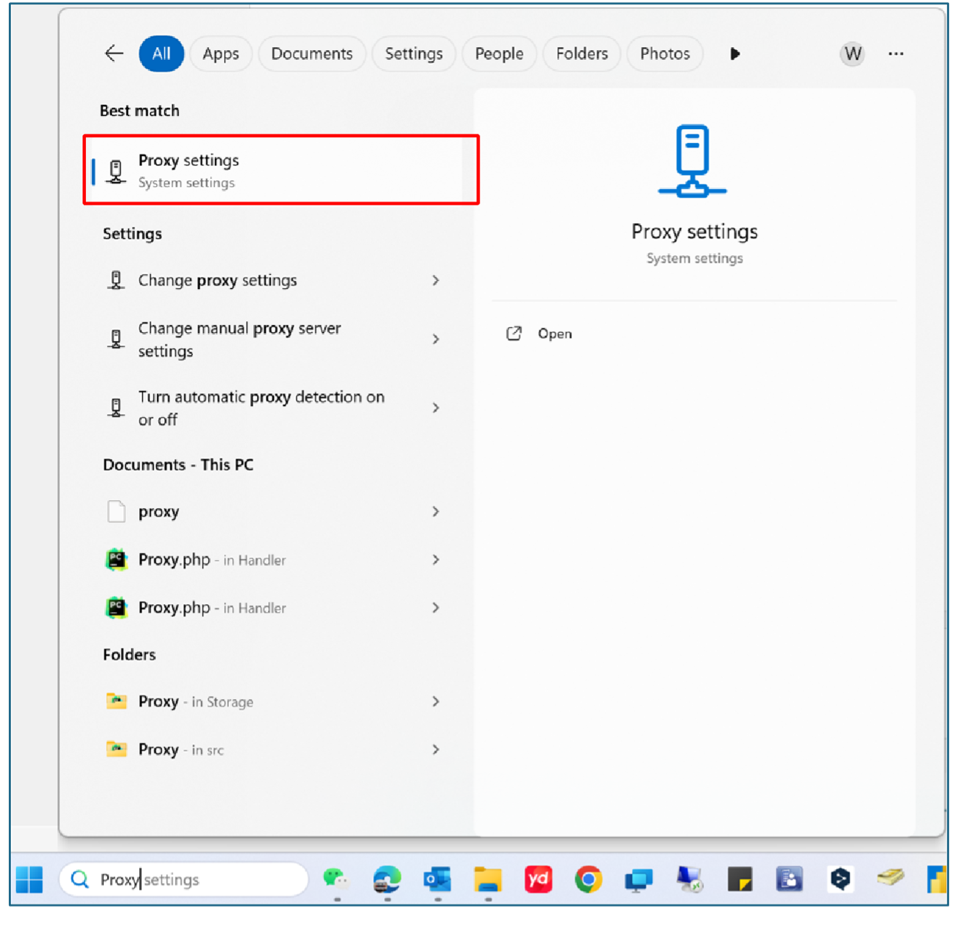
2.Turn on “Automatically detect settings”.
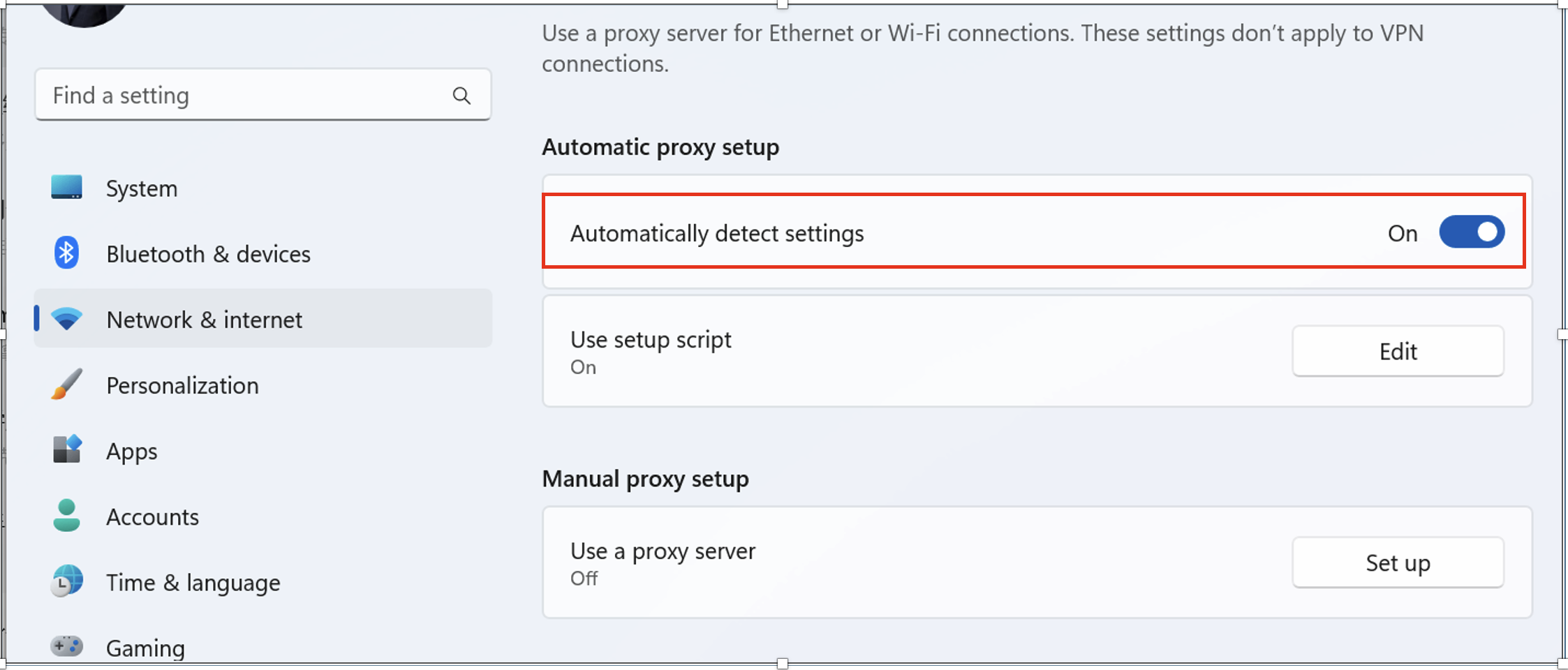
Part 2. How to set up proxy settings on MacBook
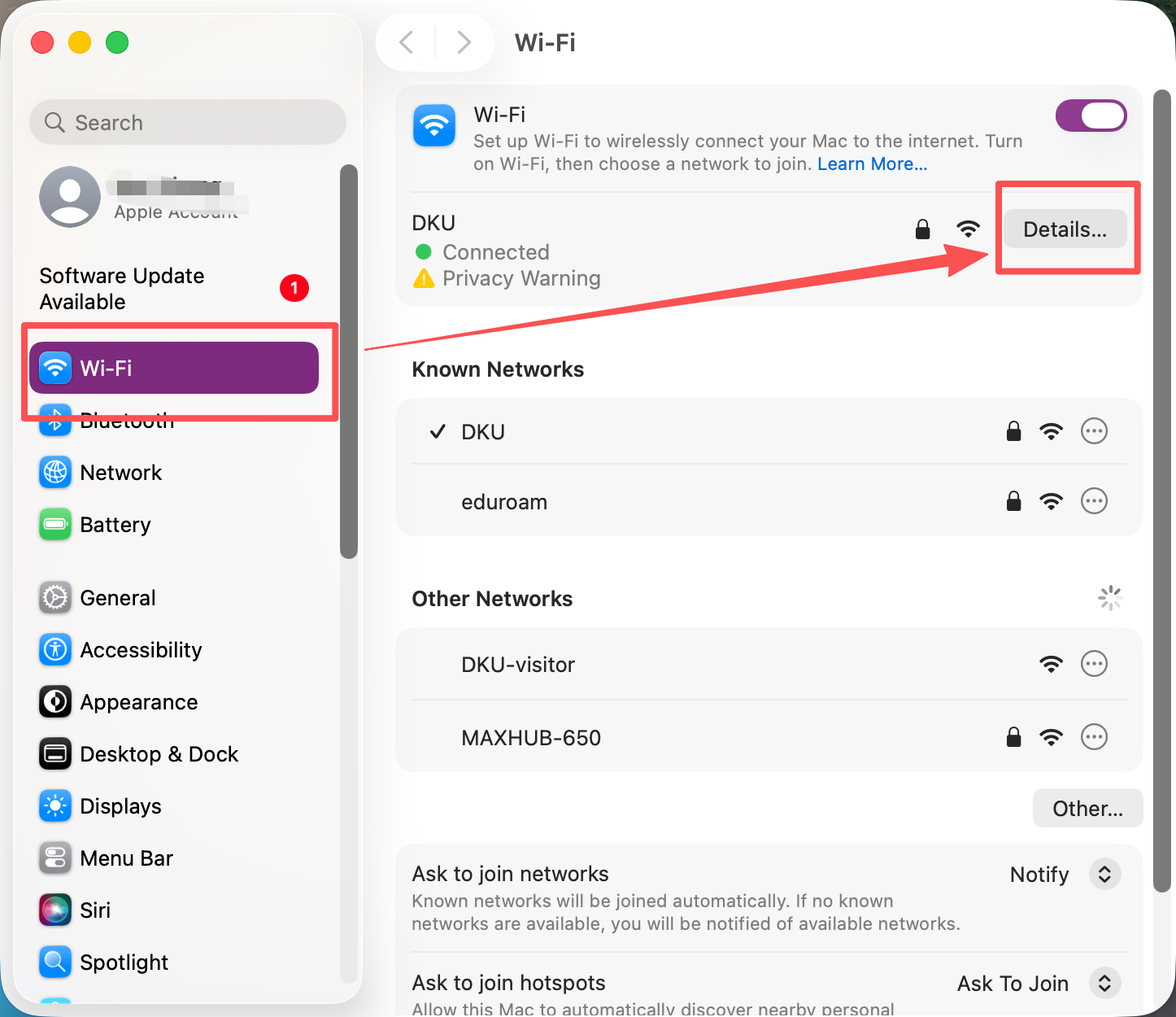
1.Click the Apple menu in the top-left corner, then select “System Settings”.
2.In “System Settings”, click on “Wi-Fi”. Once you are connected to the SSID “DKU”, click the “Details” button next to it.
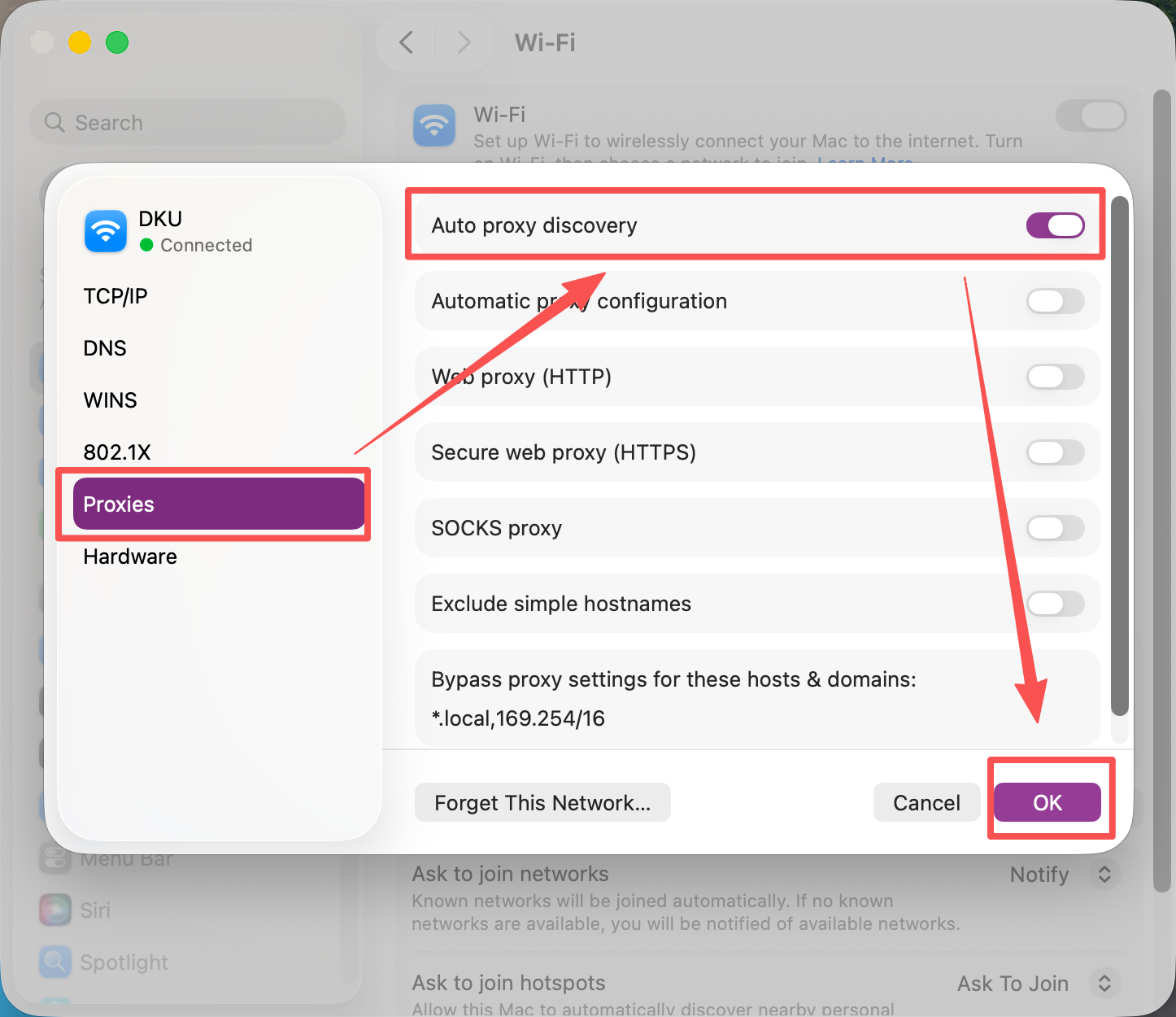
3.Click on the tab labeled “Proxies” and enable the “Auto Proxy Discovery” option. Click “OK” to apply this setting.
Part 3. How to set up proxy settings on iPhone
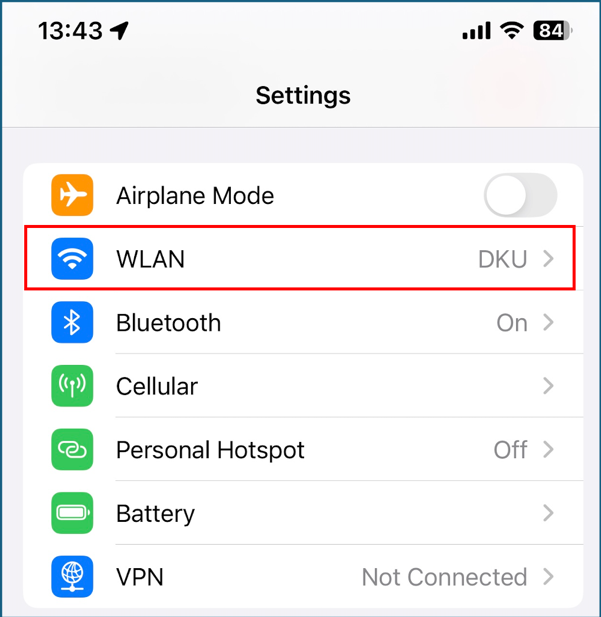
1.Go to “Settings” and choose “WLAN” setting.
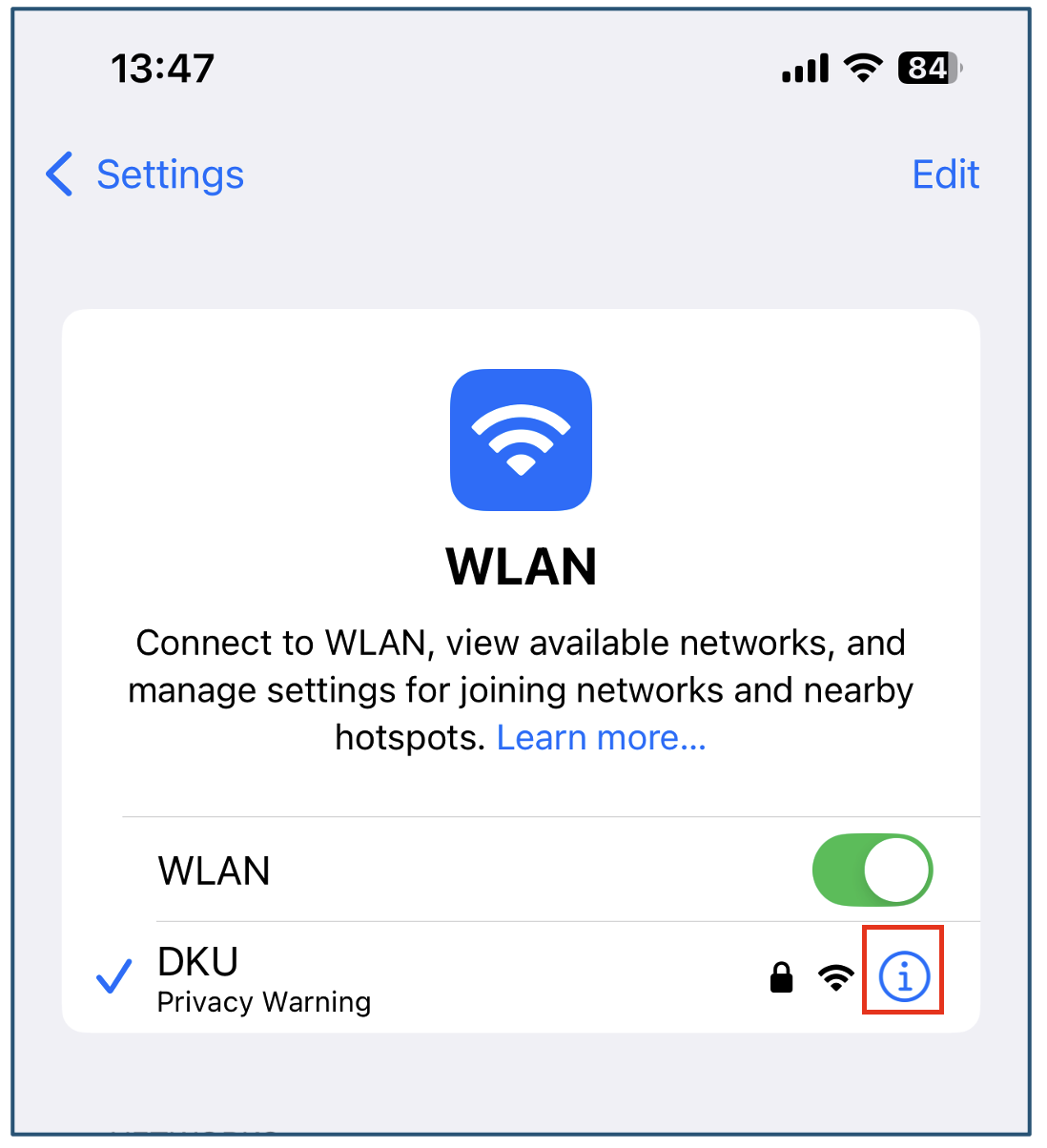
2.Once you are connected to the SSID “DKU”, click the blue “i” button next to it to open WIFI configuration.
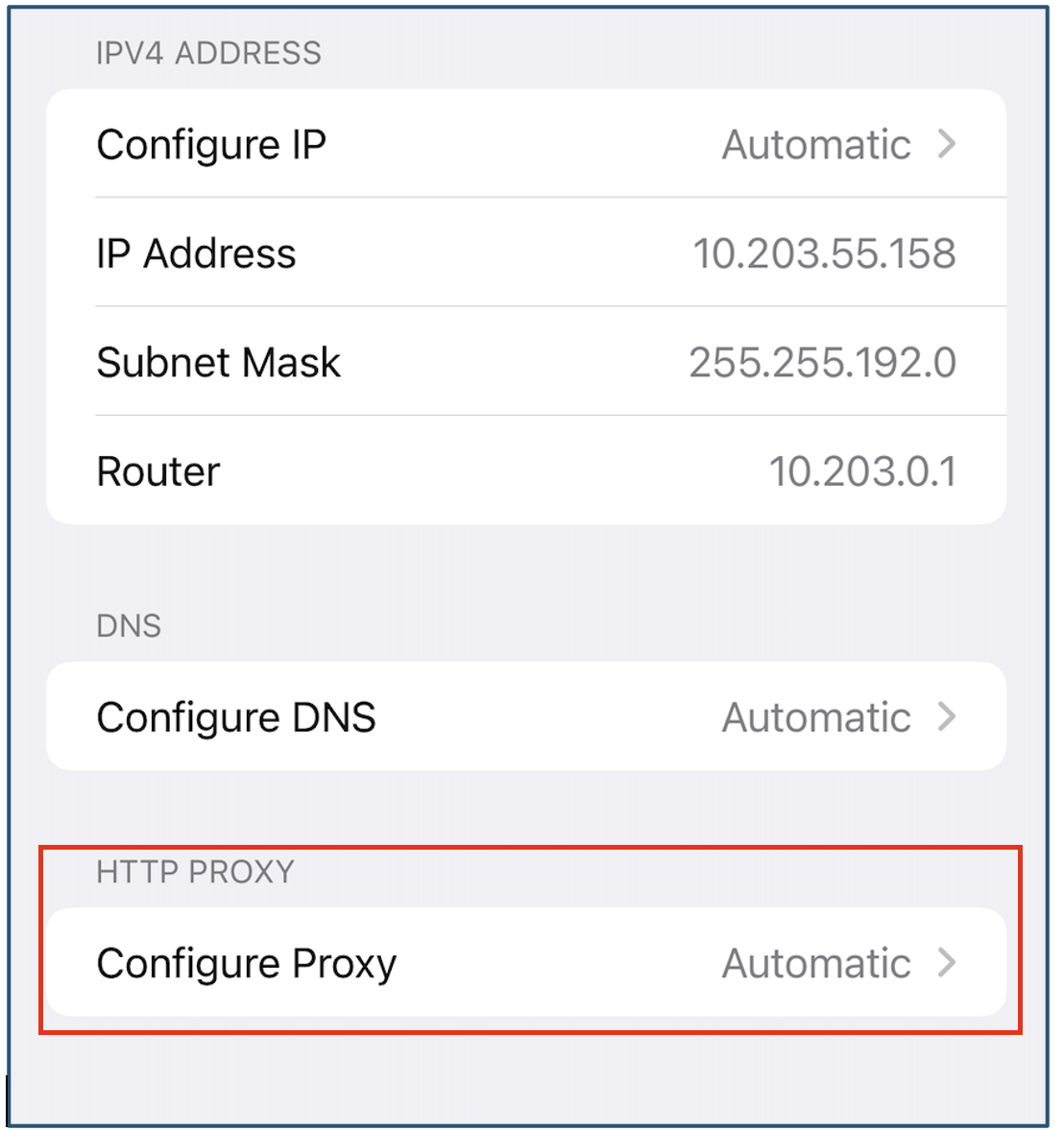
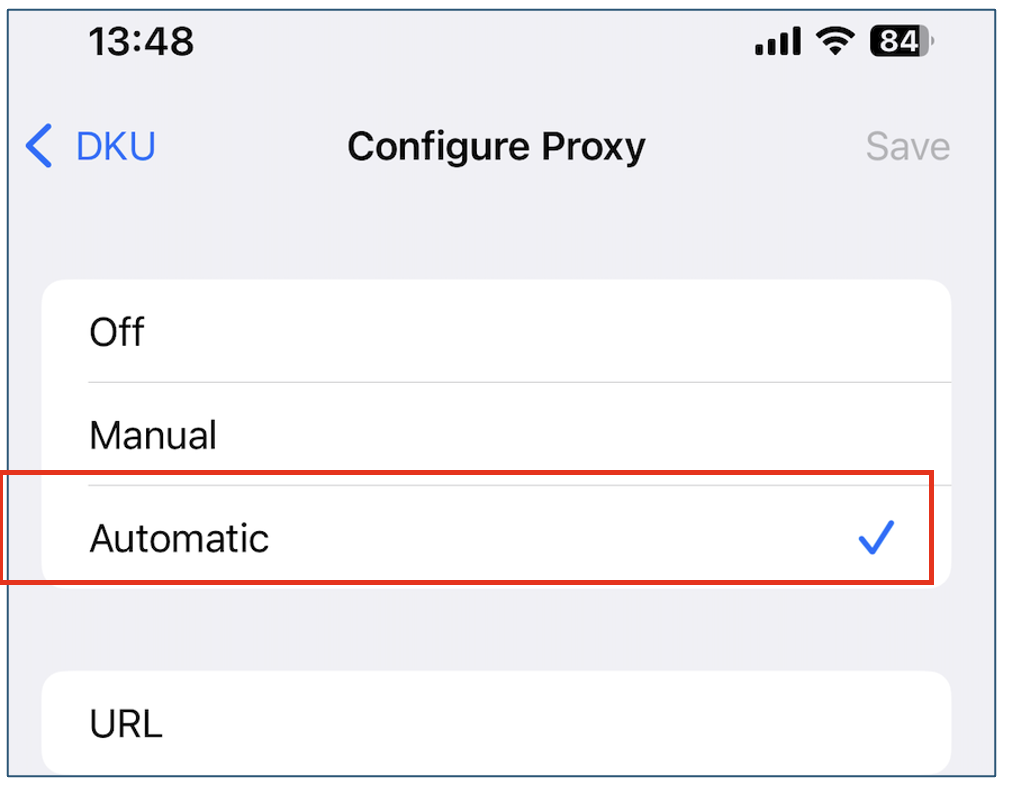
3.Scroll down to the bottom of the “DKU” Wi-Fi settings page, you will find a “HTTP PROXY” setting. Open this setting and choose “Automatic”, then save your settings.
4.Open the browser and try to access “https://www.google.com/ncr” to see if it works.
Part 4. How to set up proxy settings on Android Phone
Depending on your Android Phone model, there may be some differences between different OS, but the core system settings are almost the same. Here is an example from Xiaomi.
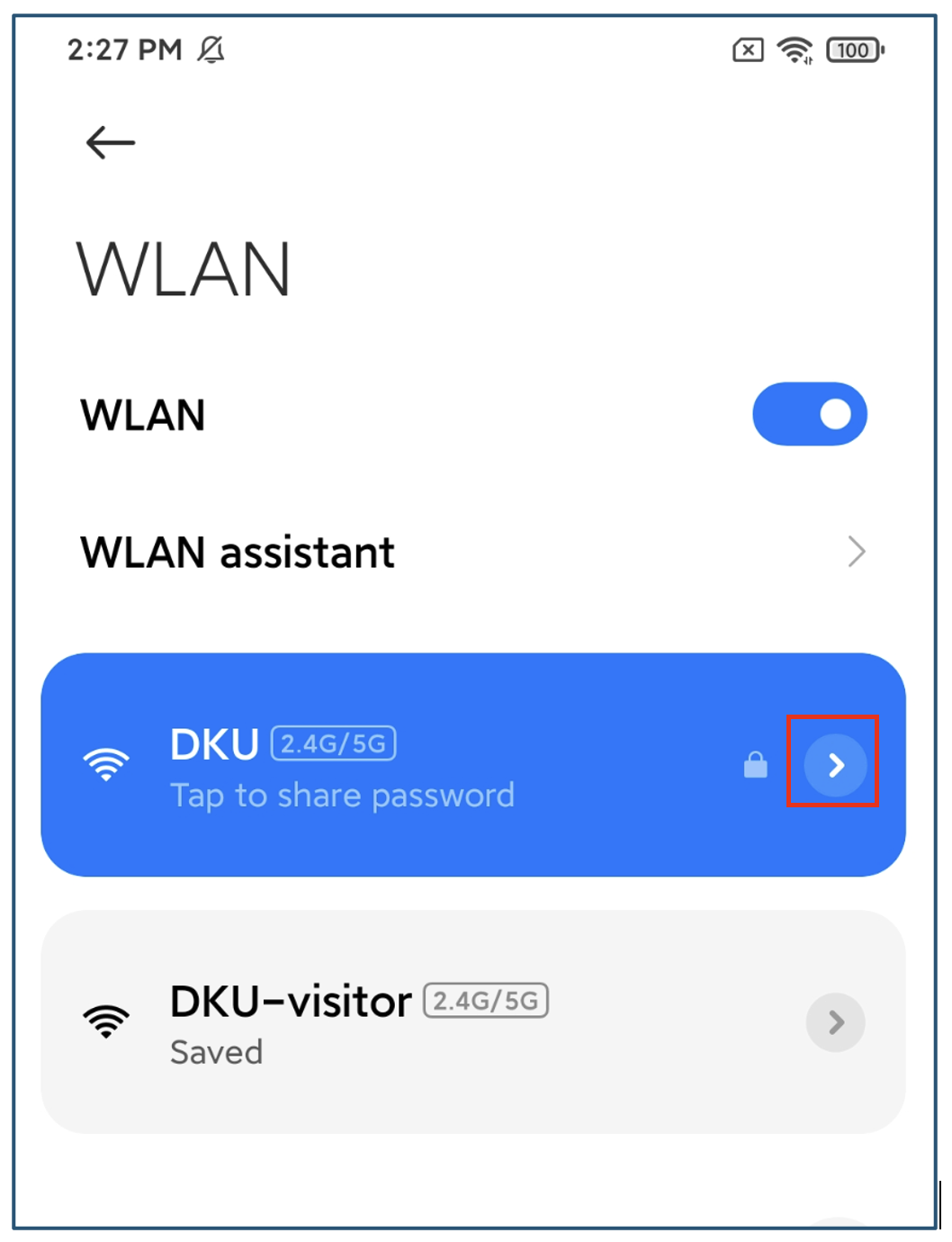
1.Open “Settings”, then go to “WLAN” setting. Once you are connected to the SSID “DKU”, click the angle bracket “>” button next to it to open WIFI configuration.
2. On the WIFI configuration page, scroll down to find the “Proxy” setting.
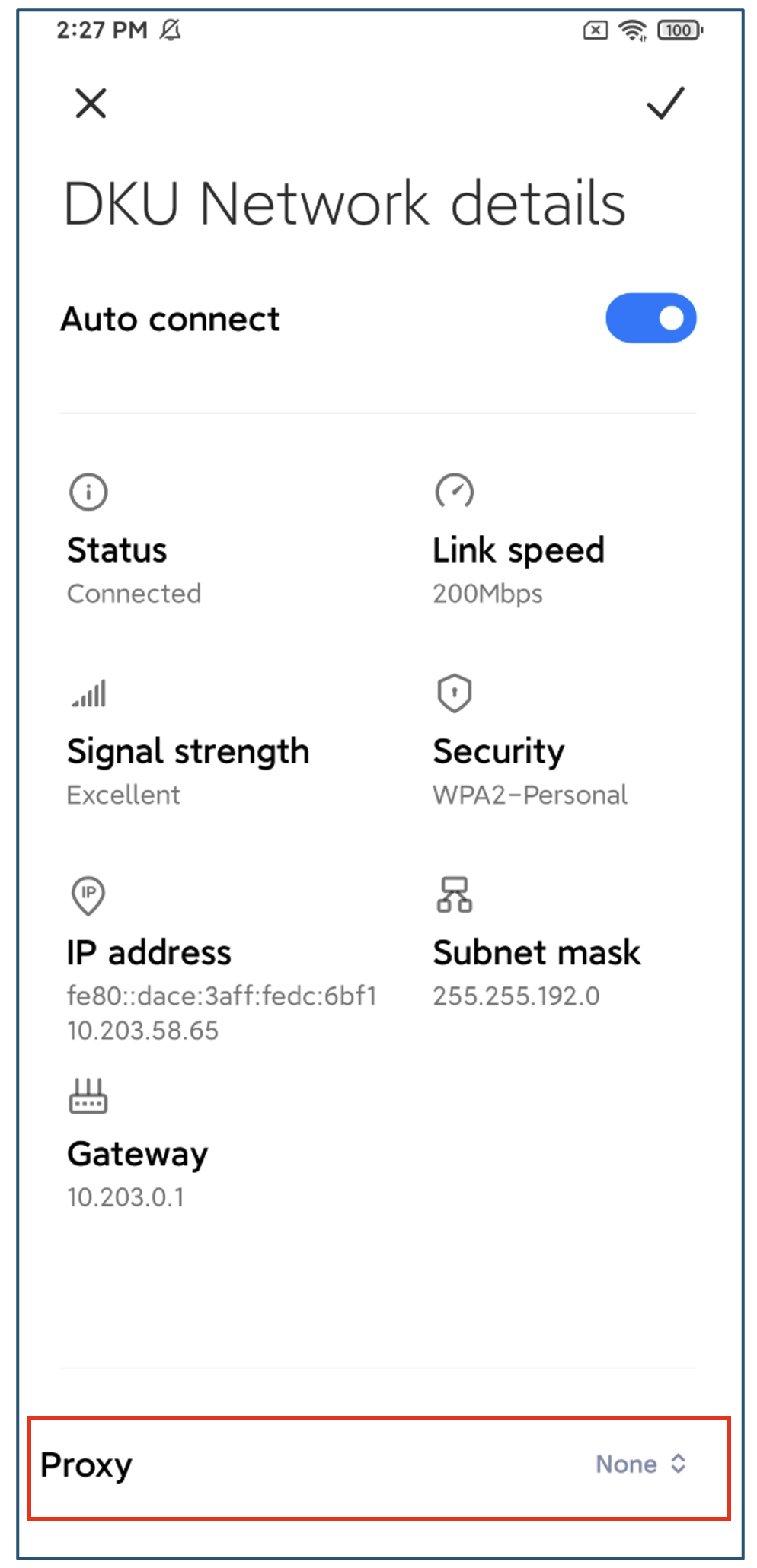
3.The default configuration of “Proxy” is “None”. Tap the “Proxy” setting and change it to “Proxy Auto-Config”.
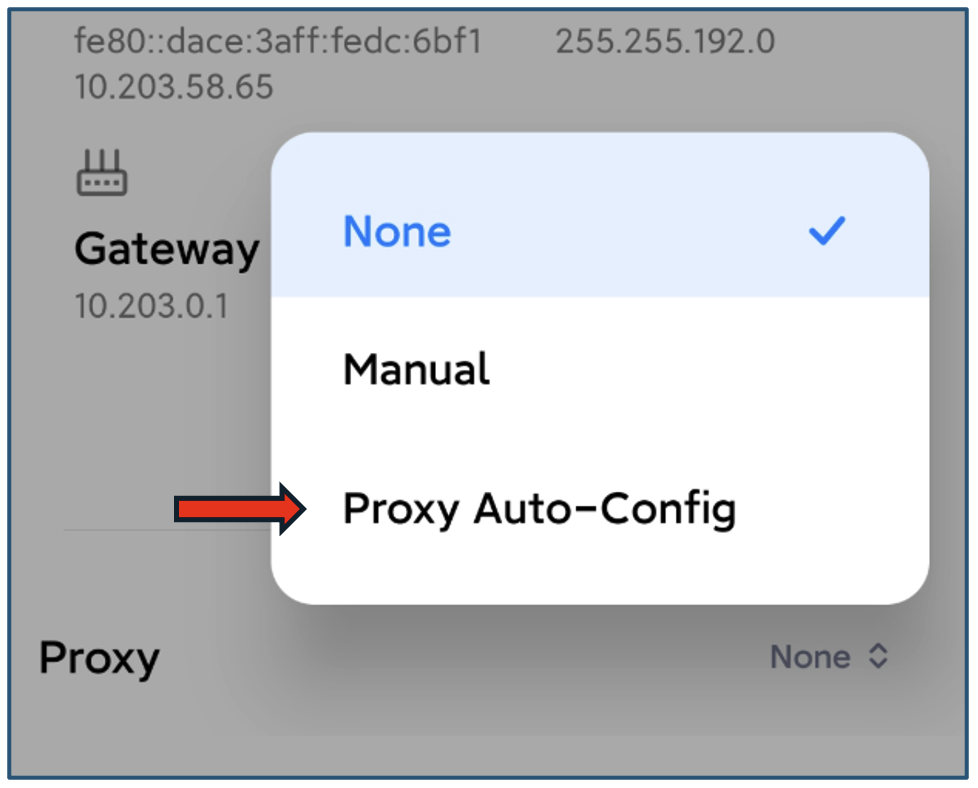
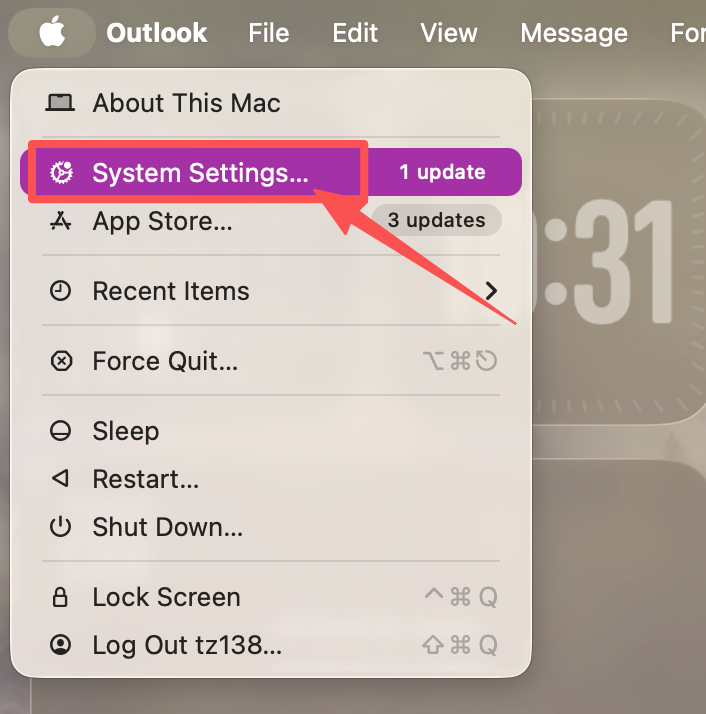
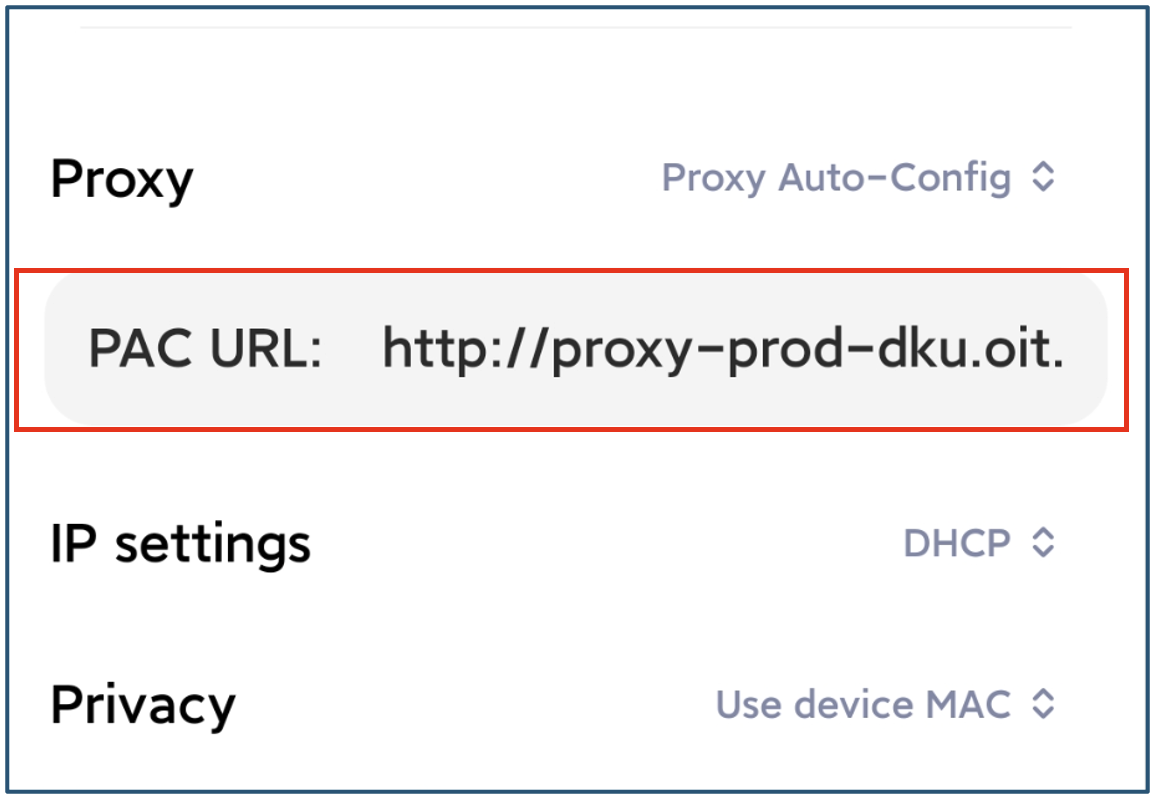
4.For Android phones, after “Proxy” is set to “Proxy Auto-Config”, you still need to add proxy configuration data to make it work.
Enter proxy configuration data path: http://proxy-prod-dku.oit.duke.edu/wpad.dat in PAC URL section as below:
5.Click the “Save” button on the top-right corner of the page to save your configuration. Open the browser and try to access “https://www.google.com/ncr” to see if it works.